How can see if an invoice has been emailed and download/print all sent invoices?
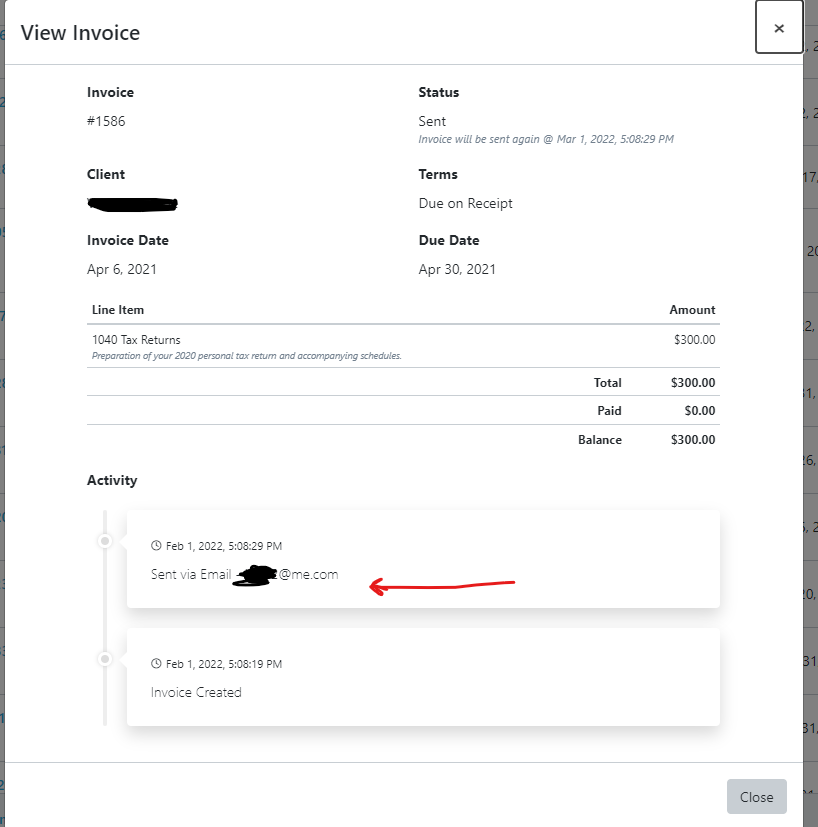
From the action dropdown menu of the invoice, you can click 'view details' (first screenshot) and you will see the history of the invoice (second screenshot) dating when it was created and sent.

Using the search criteria dropdown menu select 'Invoice Status'

Then, select 'sent'.

To download sent invoices to print - select 'all' and then the 'gear' above the checked column, then select 'download selected' to download and print sent invoices. See below:
