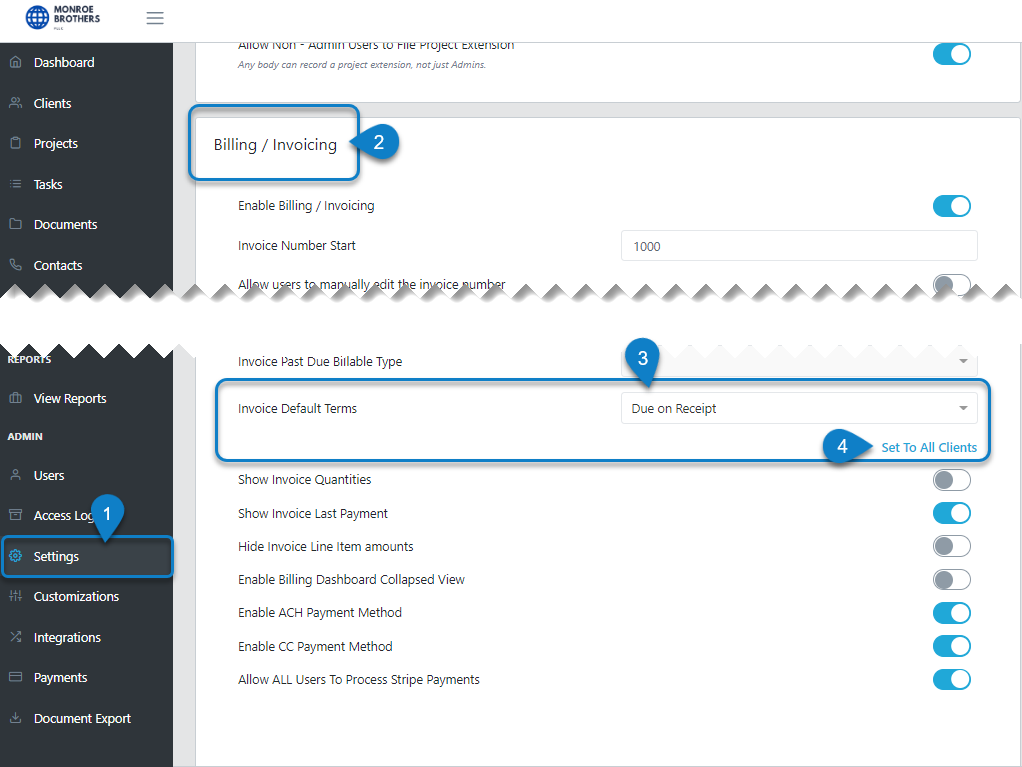
You can now update all your client's net terms in bulk. From the Setting page in the Admin section in the black ribbon scroll to the bottom left block "Billing/Invoicing"
Select the Invoice Default Terms from the dropdown box, then click Save in the bottom left corner. Return back to this page and setting and select 'Set To All Clients'. This will push this change in net terms to all your clients. This selection only appears if you change your net terms from what they were set previously.