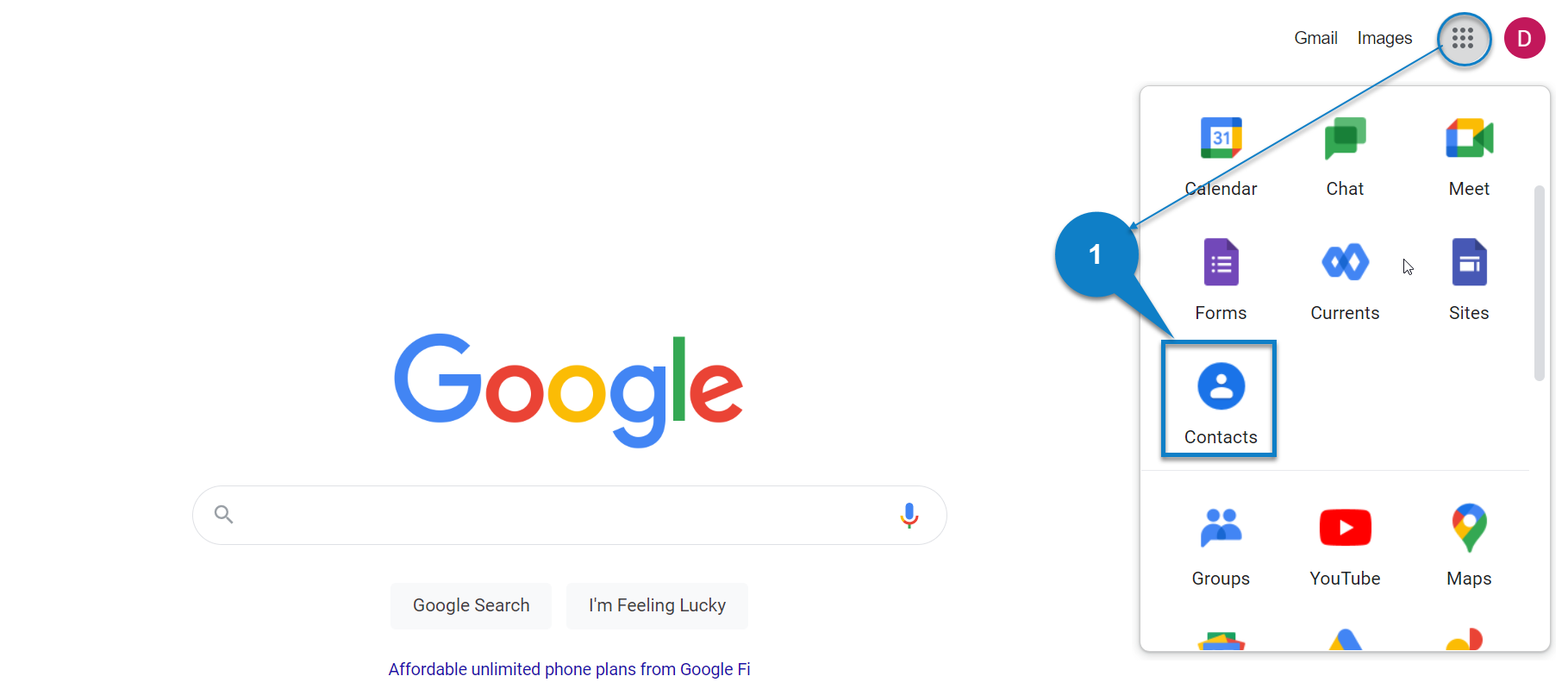
1. Select Google apps, then choose Contacts.
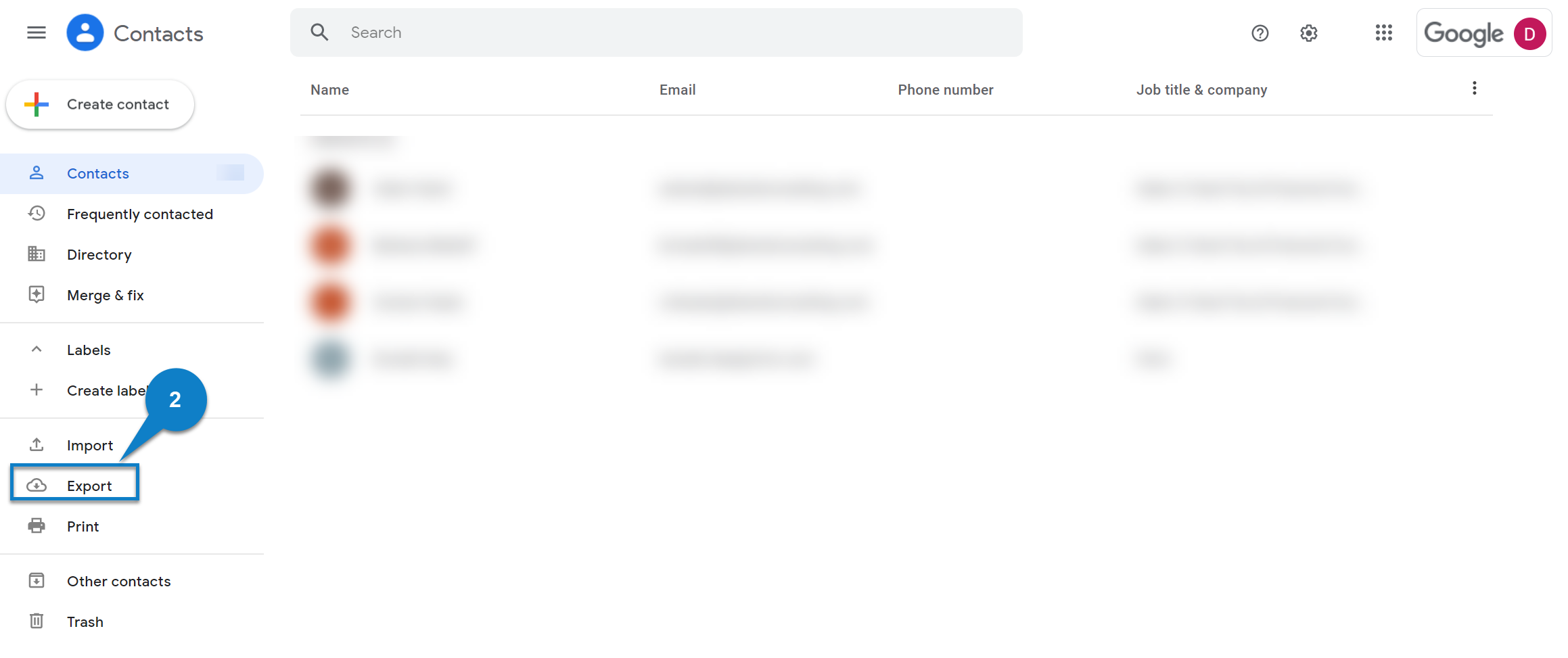
2. Select Export.
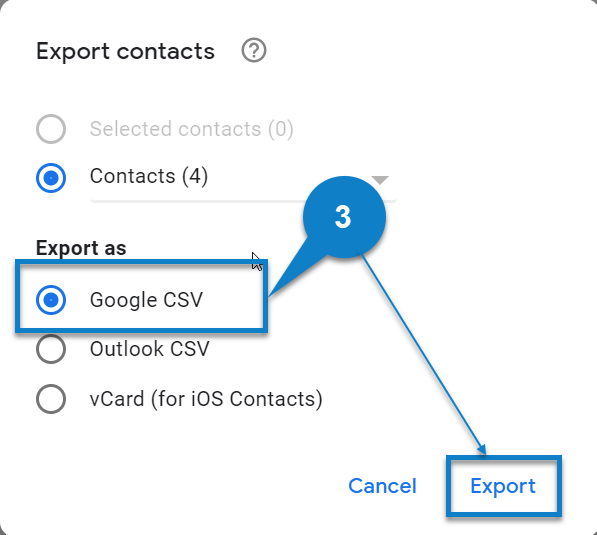
3. Select Export Google CSV. The file will be downloaded to your computer based on your browser settings.
1. Select Google apps, then choose Contacts.
2. Select Export.
3. Select Export Google CSV. The file will be downloaded to your computer based on your browser settings.