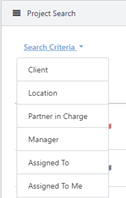
- Search Projects by Partner in Charge and Manager
You can now search for Partner in Charge and Manager in the search criteria dropdown menu.
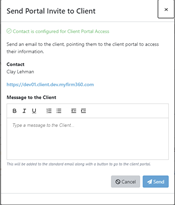
- Custom formatting option for client portal invitation
You can now customize the portal invitation message sent to your client to invite them to access their portal. Currently, there is a default message.
- The Calendar view now can filter by USER and by default JUST YOUR project display!
You can now filter by the user in the calendar view from the Projects main page.
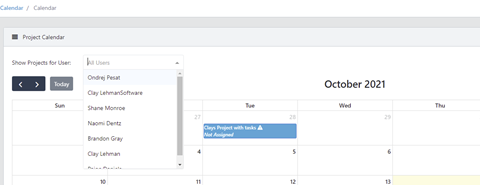
- Additionally, the Calendar view is now available on the dashboard by click on ‘My Calendar View’ in the bottom right corner of the dashboard.

- There is a new admin setting to pull project name into the invoice line-item description
To enable this option to go admin->settings
Use project name as invoice line-item description.
**By default, there is a simple message in place
